Explore beside the source
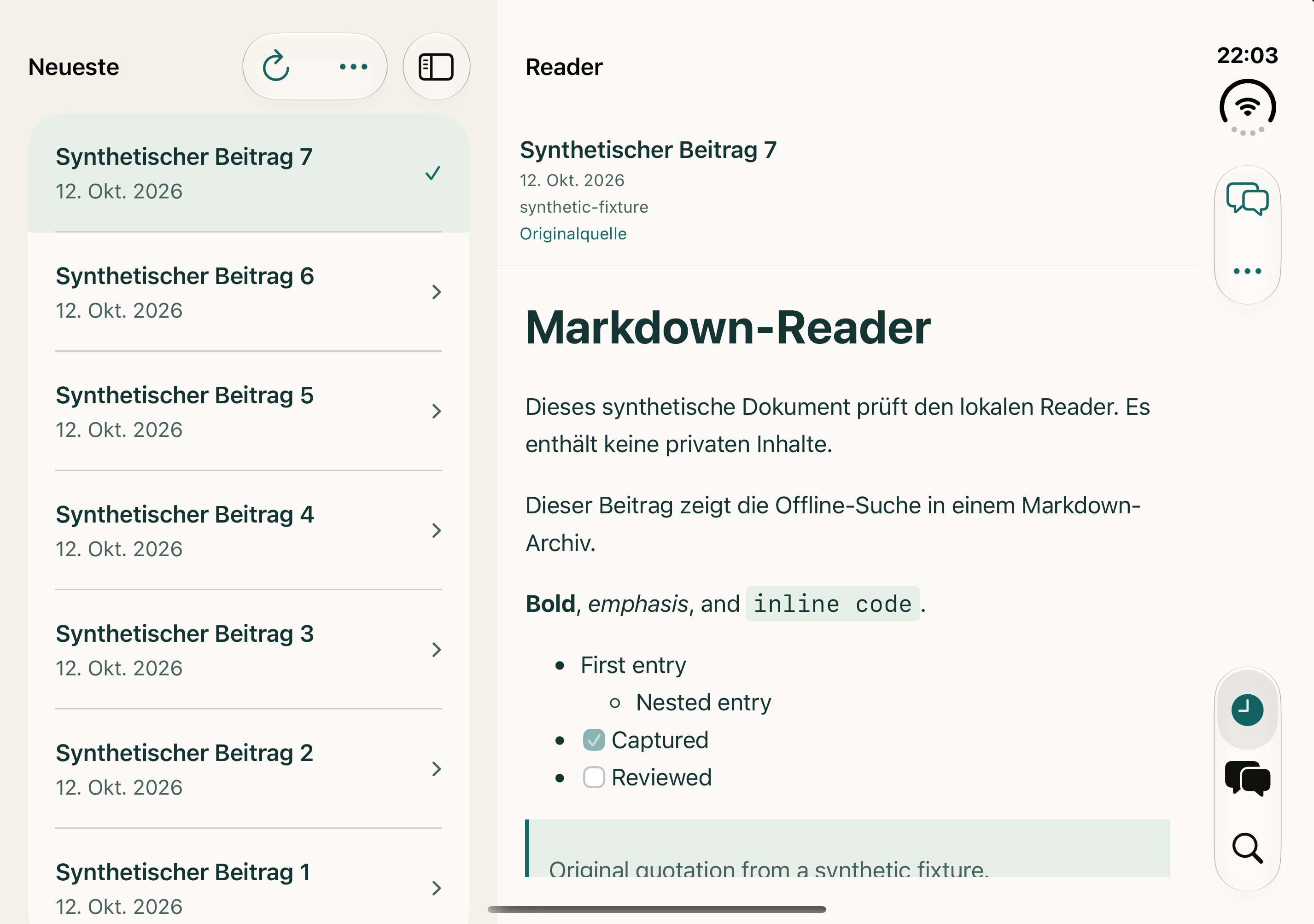
Move between recent clips, search, and chat while the selected document stays in view on a wider display.
Your knowledge, wherever you read
Capture the web. Carry your Markdown archive on iPhone. Read and explore side by side on iPhone Duo, then ask your sources with local Apple Intelligence.
iOS 1.1.0 is released on GitHub. The App Store update is in review.
Bookmarks remember where. SourceBraid preserves what matters — structure, metadata, images, and the source itself.
Meet SourceBraid for iOS 1.1.0
On iPhone Duo, keep your latest clips, search results, or chat alongside the reader. The adaptive layout also feels at home on iPhone and iPad.
Move between recent clips, search, and chat while the selected document stays in view on a wider display.
Read headings, tables, code, tasks, and local images. Open PDF attachments in native Quick Look.
Read cached clips and search downloaded text without a connection. Recent clips and App Shortcuts keep useful sources close.
Optional · local Apple Intelligence
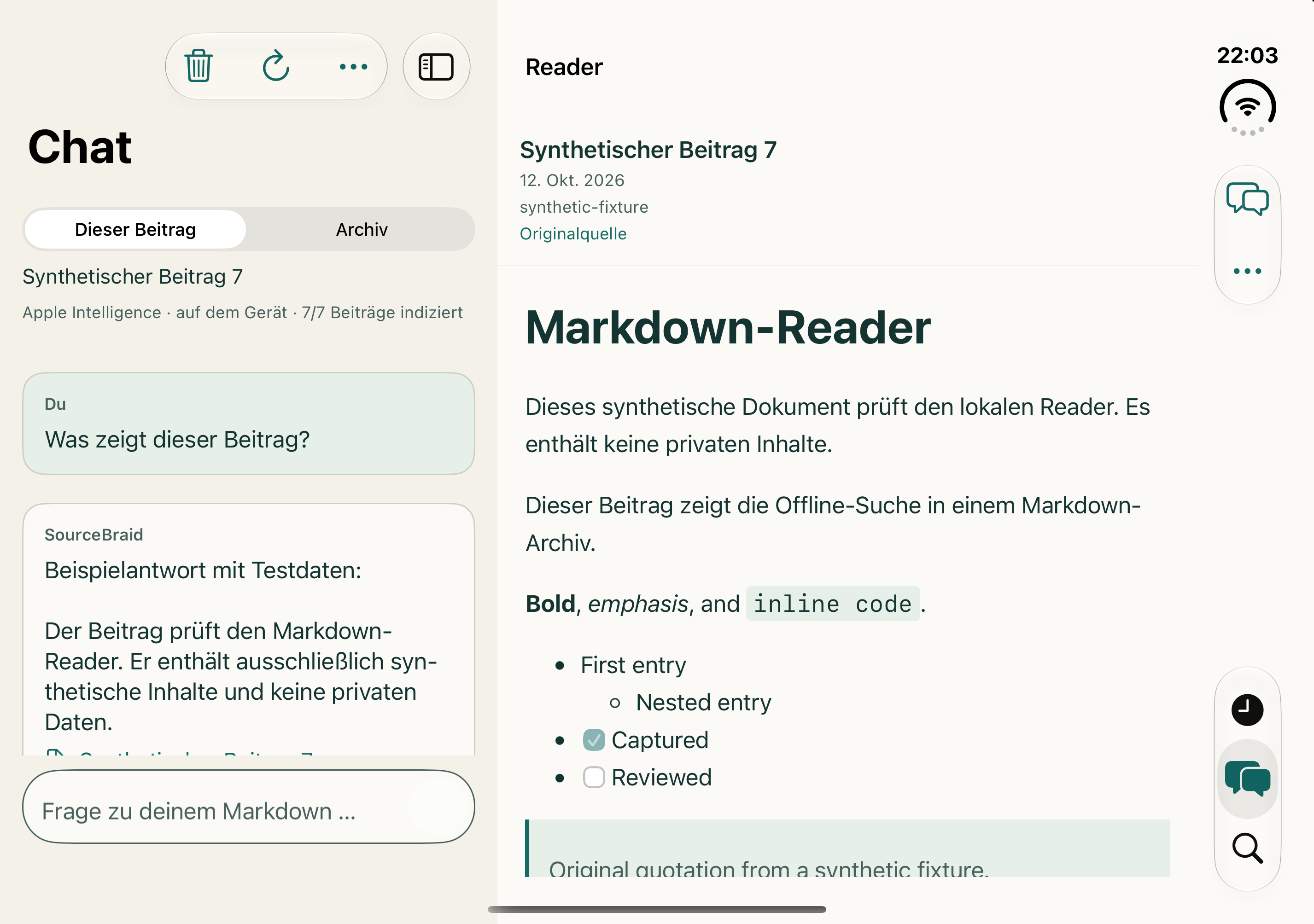
Ask about the clip you are reading or explore indexed excerpts from your archive. Apple’s on-device model streams answers with source links you can open and check.
Chat requires iOS/iPadOS 26+, supported hardware, enabled Apple Intelligence, and an available model in a supported language. Answers use selected excerpts; search coverage depends on downloaded content. Reader and search remain available without AI.
One durable pipeline
Capture clients choose the strongest available source, prepare it, and commit the result directly to the repository you control.
Start from Chrome or the iPhone share sheet. Add tags and your own notes before anything is written.
Use source-specific adapters, normalize links, preserve metadata, and keep relevant images beside the document.
Commit Markdown and assets to GitHub, then retrieve them from iPhone, ChatGPT, or Codex without surrendering ownership.
Source-aware by design
SourceBraid does not treat every page as generic HTML. It follows an ordered adapter chain and uses the richest trustworthy format first.
SourceBraid prefers arXiv HTML, preserving sections, formulas, citations, figures, and paper metadata. PDF conversion is the fallback.
Original PDFs stay with the archive while Docling turns reading order, tables, OCR text, and extracted figures into portable Markdown.
The WordPress REST API is used when available, so navigation, banners, and unrelated layout do not pollute the saved article.
Native Markdown, wikis, Gists, feeds, and dedicated publishing APIs take priority before a careful DOM fallback is used.
arXiv HTML → Azure DevOps Wiki → GitHub Gist→ Native Markdown → WordPress REST→ feeds → clean DOM fallback
Local-first architecture
SourceBraid has no central content store. Markdown and Git history remain the source of truth; the SQLite search index is only a cache that can be rebuilt at any time.
web-clips/
├── 2026/
│   └── 07/
│       ├── paper-a47c9e.md
│       └── assets/
│           └── paper-a47c9e/
│               ├── source.pdf
│               └── figure-01.png
└── index/
    ├── 00.jsonl
└── ff.jsonlOne archive, every surface
The Chrome extension, Codex plugin, and ChatGPT connector are released. Choose your way into the same private Markdown archive.
Capture from the share sheet, read Markdown, search downloaded clips offline, and ask questions with local Apple Intelligence. Duo brings your archive and reader together.
See the new iPhone releaseCapture the page in front of you, add notes and tags, and write prepared Markdown directly to GitHub.
Install the Chrome extensionSearch, fetch, and maintain your archive from Codex with an incremental local SQLite full-text index.
Install the Codex pluginBring saved sources into your ChatGPT workflow through the SourceBraid MCP connector, with links back to the original material.
Set up the ChatGPT connectorOn the roadmap. Community feedback will help decide its priority and shape.
Share your feedbackThe complete loop
Sanitized demo content shows the path from capture to private storage, retrieval, and mobile sharing.
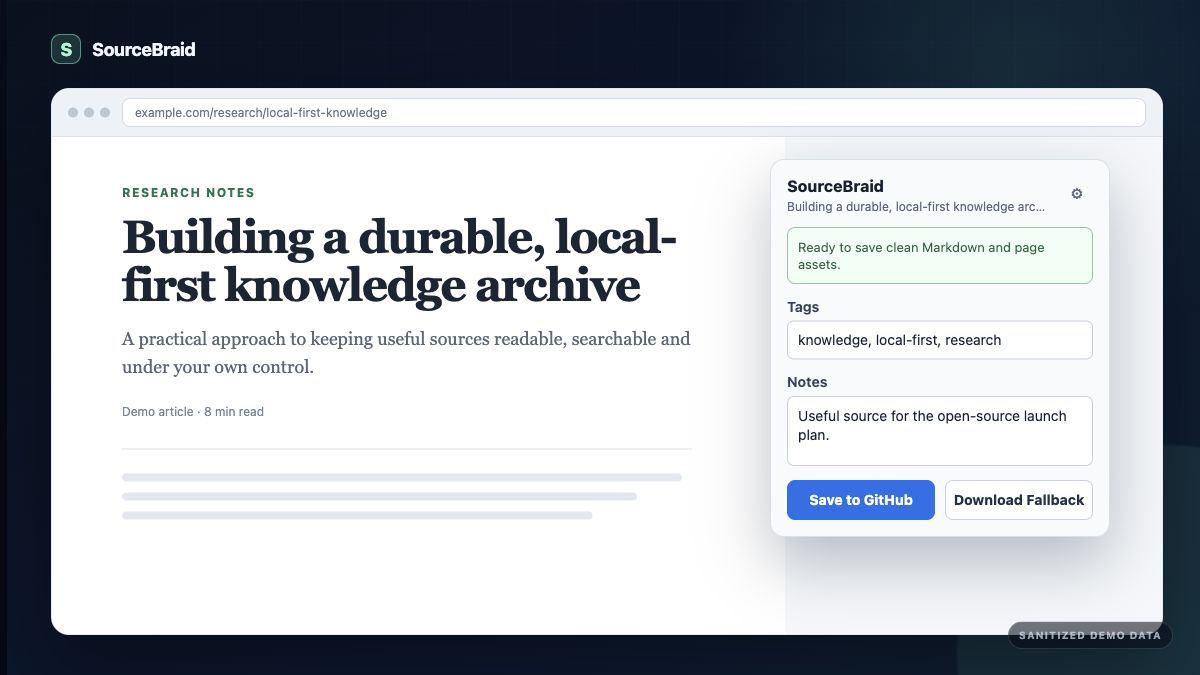
Save the source, your notes, and useful tags in one deliberate action.
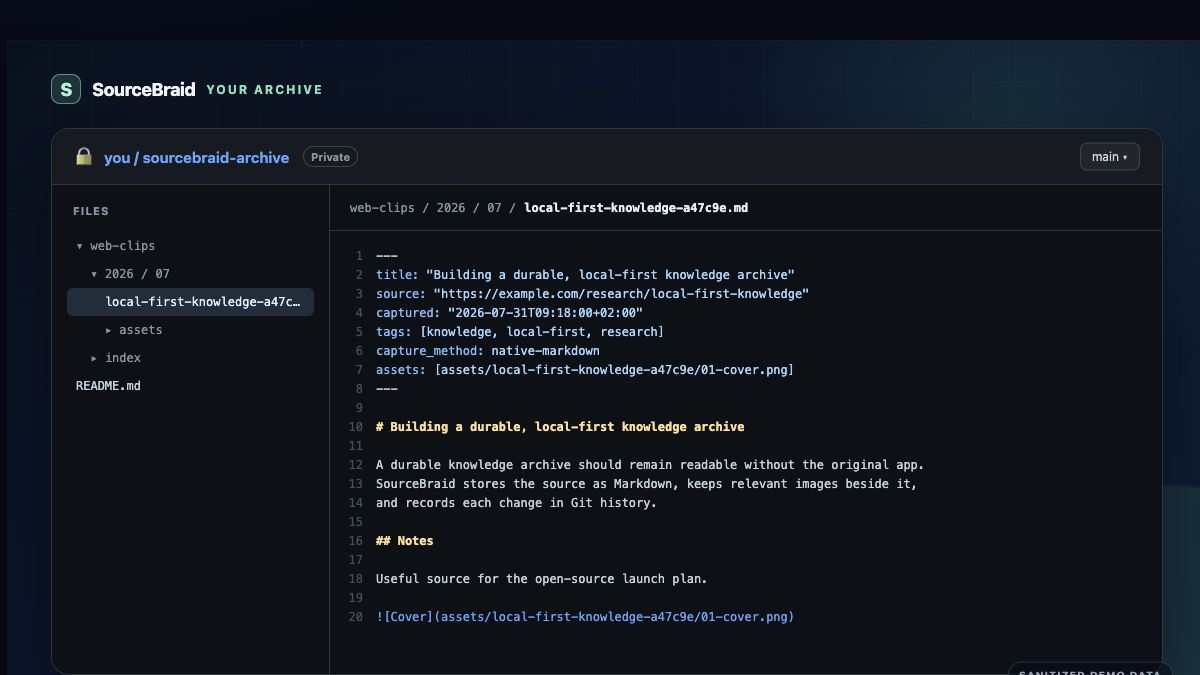
Plain Markdown, local assets, metadata, and Git history remain readable without SourceBraid.
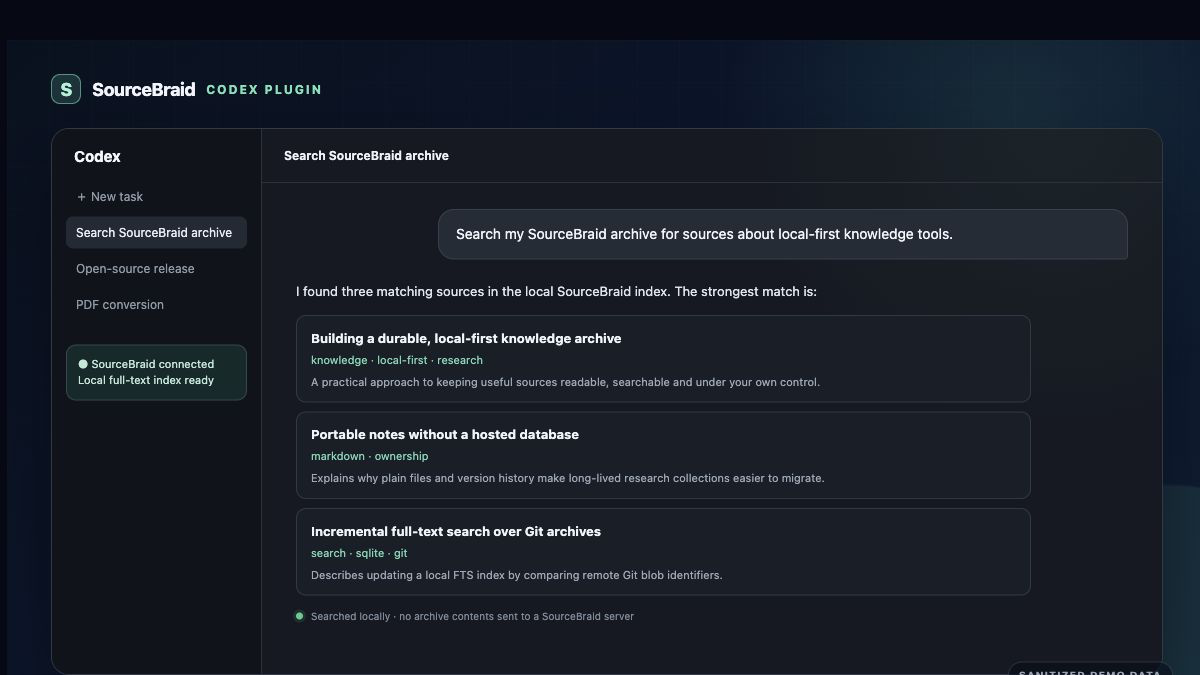
Search from ChatGPT or Codex and retain the canonical source URL for citations.
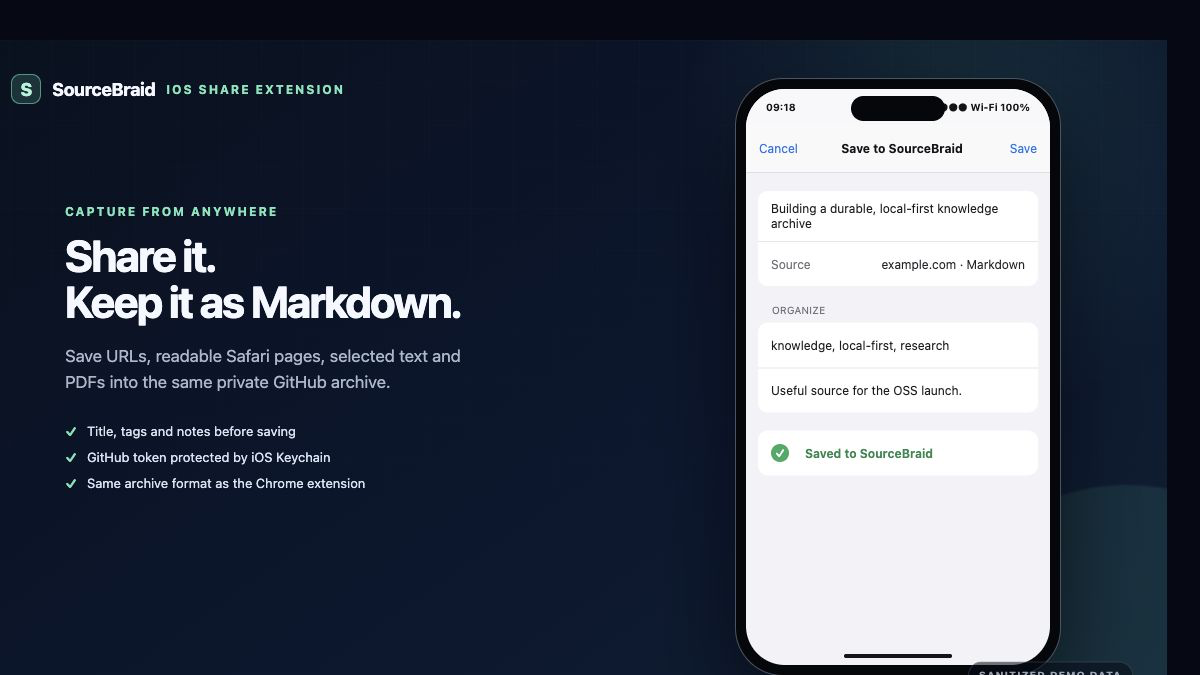
Use the familiar share sheet to keep research flowing into the same archive.
MIT licensed
The Chrome extension, iPhone app, GitHub workflows, extraction logic, Codex plugin, and ChatGPT connector are open source. Test a source, improve an adapter, or help shape Android support.
Questions, answered
Version 1.1.0 adds an adaptive layout that places Latest, Search, or Chat beside the Markdown reader on wider displays. It also adds offline reading and search for downloaded clips, PDF previews, and read-only App Shortcuts. Duo hinge adaptation requires iOS 27.1. The release is on GitHub; the App Store update is awaiting Apple review.
SourceBraid’s optional iPhone chat uses Apple’s on-device system model. It sends no content to an external AI service or Private Cloud Compute. GitHub is still used to download your archive. Chat needs supported hardware, iOS/iPadOS 26 or later, enabled Apple Intelligence, and an available model in a supported language.
No. Capture clients write directly to the private GitHub repository you configure. The project does not operate a central content service.
Bookmarks depend on the source staying available and searchable. SourceBraid keeps a readable Markdown representation, provenance, metadata, and relevant assets under your control.
The original PDF is committed first. A GitHub Action uses Docling to produce Markdown, OCR text, tables, and figures while retaining the source file beside the result.
Not in the first release. The Android share target is intentionally waiting for community feedback so effort follows real demand.
On iPhone. On Duo. In your hands.